
iScape: Landscape Design App
iScape Holdings Inc.Lifestyle
2.9127.00 Reviews
- Version
- 1.4.0
- Installs
- 500.00K
- Age Rating
- Everyone
Screenshots

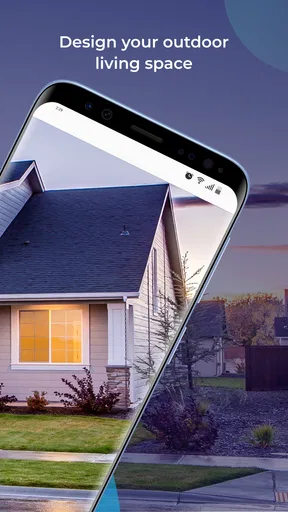

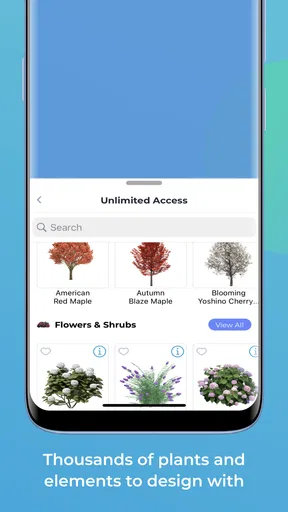
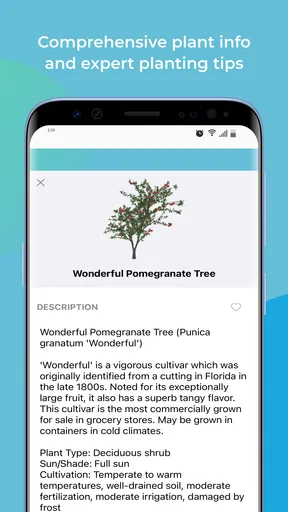
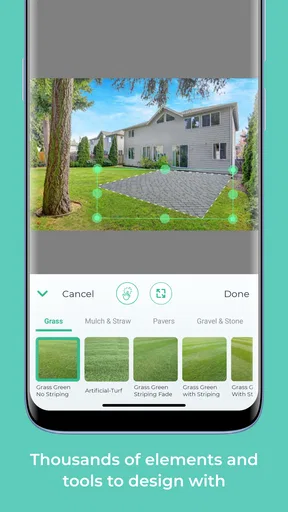

Our Review of iScape: Landscape Design App
 Analysis by Appyee
When I consider a yard-design app, trust starts with a practical question: what will I need to share to make a useful plan, and what choices remain mine? iScape is a lifestyle app from iScape Holdings Inc. built around visual planning for outdoor spaces. I’d treat it as a place to explore possible layouts, not as a substitute for checking site conditions or getting specialist advice before major work.
Start with a small, low-risk project
If you’re curious about the app, I’d begin with one manageable area: a bare corner, the strip beside a path, or a patio that feels unfinished. A focused project makes it easier to judge whether the visual approach helps you think. It also keeps early decisions reversible: you can compare a few arrangements before buying plants or materials.
For a realistic weekend scenario, imagine you want more privacy from a neighboring window. Photograph the relevant part of the yard, try a planting arrangement, then look at the result alongside the view from your kitchen or patio. That can help you decide whether the idea feels too dense or leaves enough room to move. I’d still check mature plant size, sunlight, soil, drainage, and local rules separately; a visual mock-up cannot settle those practical questions on its own.
What the visual approach is good at
The main advantage over a paper sketch is that the design can be considered against a photo of the actual space. Compared with browsing inspiration images, that gives you a more personal reference point. It is useful for discussing broad choices—where a bed might go, whether a seating area feels crowded, or how a line of planting could frame a view—before you commit money or effort.
That does not make it a full replacement for a measuring tool, a planting reference, or a professional plan. Photos can distort distance, and an attractive overlay is not proof that an item will fit or thrive. I’d use the image to narrow options, then take real measurements and verify plant requirements before treating any layout as a shopping plan.
Keep the decisions that matter in your hands
Sharing a design may make conversations with family or a landscaper easier, but I would choose the audience carefully and share only what is useful for that discussion. A yard photo can reveal more than the garden itself, including parts of a home or its surroundings. Before uploading images or creating an account, pause to review the permissions and choices shown on your device and in the app, and decide whether the requested access fits the task you want to do.
I would also separate creative exploration from paid commitment. The app is free to download, while in-app purchases range from $9.99 to $299.99 per item, so check the purchase screen and its terms before confirming anything. I would not assume a feature is included just because it appears in a design workflow; review the options presented at the point of use and make sure the cost makes sense for a project you may still change.
For gardeners who enjoy experimenting visually, this may be a more engaging starting point than a blank page. For someone who only needs plant identification, precise construction measurements, or a detailed installation specification, a dedicated reference, measuring method, or landscape professional may be a better fit. The right choice depends on whether seeing an idea placed in your own space is the main obstacle.
There are sensible ways to reduce friction. Take a clear photo in even daylight, keep the frame focused on the area you are planning, and save a separate version before trying a very different layout. If you are comparing ideas with another person, label or describe the key change in plain language—such as “more open path” or “less planting near the door”—so feedback addresses the design choice rather than the whole image. These habits make visual experiments easier to review without treating them as final instructions.
The app is free, rated for Everyone, and has a 3.9 average from around 1.1 thousand ratings, with over 500 thousand installs. It was released on February 24, 2025, and version 1.2.3 requires Android 8.0 or later. Those details give a quick sense of its current footing, but I’d still judge the experience by whether the tools available on your device suit your project and by reading the purchase and permission prompts as they appear.
Planning a yard with iScape
Picture this: you've just moved into a new home, and your yard looks like something out of a post-apocalyptic movie. You have grand visions of turning it into a lush paradise, but where do you even start? Enter iScape, the landscape design app that acts like a magical wand, turning your outdoor space dreams into reality.
Getting Started with iScape
First off, downloading iScape is a breeze. Available on both Android and iOS, it’s just a tap away from transforming your landscape woes. Once installed, the app greets you with a user-friendly interface. The layout is as inviting as a well-manicured lawn, making it easy to dive right in.
After a quick sign-up, the app walks you through the basics. If you’re like me and sometimes skip instructions, don’t worry—the app’s intuitive design makes it easy to catch on. You can either start a new project or explore existing templates, which are perfect for sparking inspiration.
Designing Your Dream Landscape
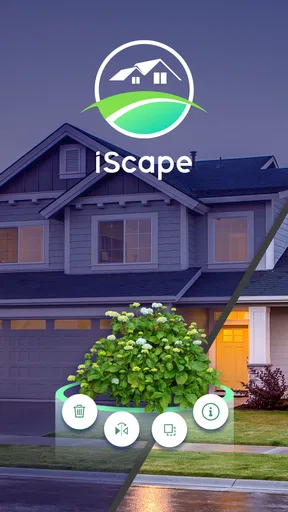
Now, here’s where the magic happens. With iScape, you can snap a photo of your current yard and use augmented reality to overlay your design ideas. It’s like having a crystal ball that shows you the future of your outdoor space. Want to see how a row of hedges would look? Or maybe a water feature? Simply drag and drop from the app’s extensive library of plants, trees, and outdoor décor.
Each item in the library comes with detailed information, so you're not just guessing what will work. iScape even considers your climate zone, ensuring the plants you choose will actually thrive. The app is like a digital garden guru, always ready with the right advice.
Collaborate and Share
One of the coolest features is the ability to collaborate. You can share your design with family, friends, or even a hired landscaper. It’s a great way to get feedback and refine your vision. Plus, seeing how others react to your ideas can be super rewarding.
Sharing is as simple as clicking a button, and recipients can view your project on their own devices. This feature turns the app into a collaborative tool, making it easier to work with professionals or get input from loved ones.
Bringing Your Vision to Life
Once your design is just right, iScape doesn’t leave you hanging. The app provides a list of materials and plants needed to bring your vision to life. It even helps you find local suppliers, so you’re not stuck searching the web for where to buy a specific shrub.
This aspect of the app is hugely beneficial, especially for those of us who might not know the first thing about where to purchase mulch or what type of soil a particular plant needs. It’s like having a personal assistant dedicated to your gardening needs.
Final Thoughts
In the end, iScape is more than just an app—it’s a gateway to creating the outdoor space you’ve always dreamed of. Whether you’re a gardening newbie or a seasoned pro, the app provides the tools you need to design, plan, and execute your vision.
For anyone looking to transform their yard, iScape is an invaluable companion. It’s not just about making your yard look nice; it’s about crafting a space that reflects your personality and lifestyle. So go ahead, give it a try, and watch your yard transform from drab to fab!
If you’re interested in giving iScape a whirl, you can find it available for download on both the Google Play Store and the Apple App Store. Happy landscaping!
Verdict
Strengths of iScape: Landscape Design App
- Easy-to-use interface for beginners.
- Extensive library of plants and objects.
- Real-time 3D visualization available.
- Seamless integration with social media.
- Regular updates with new features.
Limitations of iScape: Landscape Design App
- Limited free features; premium needed.
- High battery usage during 3D visualization.
- Occasional crashes on older devices.
- Requires stable internet for best use.
- Exporting designs can be cumbersome.
Similar Picks in This Category
View All
SmartThings
Samsung Electronics Co., Ltd.4.6

Google Home
Google LLC4.0

Pinterest4.2

Astrotalk - Talk to Astrologer
Astrology & Horoscope4.7

My Verizon
Verizon Consumer Group4.5

Samsung Wallet (Samsung Pay)
Samsung Electronics Co., Ltd.4.1
Frequently Asked Questions
What is iScape and how does it work?
iScape is a landscape design app that allows users to visualize and plan their outdoor spaces with ease. By using augmented reality, the app superimposes 3D images of plants, furniture, and other outdoor elements onto your yard. Users can create, edit, and save designs to see how different elements will look before making any real changes.
Is iScape suitable for both beginners and professionals?
Yes, iScape caters to both beginners and professional landscapers. The app offers an intuitive interface for novices to easily drag and drop elements into their designs. For professionals, it provides advanced features and a wide array of plants and materials to create detailed and professional-grade designs. This makes it versatile for any level of expertise.
What devices are compatible with iScape?
iScape is compatible with most modern iOS and Android devices. It requires an operating system version that supports augmented reality capabilities, such as ARKit for iOS and ARCore for Android. Users should ensure their device is updated to the latest software version to enjoy optimal performance and features.
Does iScape offer a free version, and what are the premium features?
iScape offers a free version with basic features for users to explore the app's capabilities. For those seeking more advanced tools, a premium subscription is available, offering access to a larger library of plants and materials, advanced design tools, and the ability to save multiple projects. This subscription unlocks the full potential of the app.
How can iScape benefit my landscape design process?
iScape streamlines the landscape design process by allowing users to visualize changes before implementing them. This reduces the risk of costly mistakes and ensures satisfaction with the final result. By experimenting with different layouts and elements in a virtual environment, users can make informed decisions, saving time and resources in real-life projects.
